
01
Start with the Right Biome and Dimension
Most generated structures only appear in particular dimensions, biomes, or terrain. Decide what you are looking for before setting out, then search where it can actually generate instead of sweeping the entire world.
- Use Nether travel for Nether fortresses and bastion remnants
- Search oceans by boat for monuments, ruins, and shipwrecks
- Match villages, pyramids, huts, igloos, and temples to their surface biomes
02
Use Minecraft's Built-in Leads
Several structures have an intended in-game trail. Eyes of Ender lead toward strongholds, explorer maps point toward mansions and trial chambers, and treasure maps found in shipwrecks or ocean ruins lead to buried treasure.
- Level a cartographer villager for explorer maps
- Carry spare Eyes of Ender because they can break
- Read maps while moving in both the X and Z directions
03
Search Efficiently in Survival
Travel in wide, deliberate lines rather than circling the same terrain. Climb for surface visibility, use boats across oceans and rivers, carry fire resistance in the Nether, and mark coordinates so every trip expands the area you have checked.
04
Use Locate Commands When Cheats Are Enabled
If the world allows commands, Minecraft's locate command can return the nearest matching generated structure. Command names and available targets can differ by edition and version, so use the command suggestions shown in chat to select the structure identifier supported by your game.
- Java: begin with /locate structure and choose a suggested identifier
- Bedrock: begin with /locate structure and choose an available structure type
- Teleport only if you want to skip the journey; the returned coordinates can also be followed normally
Structure by Structure
How to Find Structures
These clues work without MineyMap. Structure generation still depends on your edition, version, seed, and unexplored terrain, so a clue can narrow the search without guaranteeing a nearby location.

Ancient City
Search deep below tall, eroded mountain terrain for a Deep Dark biome. Ancient cities generate far underground and are easiest to recognize by large sculk-covered ruins.

Bastion Remnant
Explore the Nether outside basalt deltas. Look for a huge, dark blackstone complex; fire-resistance supplies and plenty of blocks make the search safer.

Buried Treasure
Find a shipwreck or ocean ruin, loot its map chest, then follow the buried-treasure map to the red X. The chest is usually hidden beneath sand, gravel, or nearby shoreline blocks.

Desert Pyramid
Scan open desert terrain from a high point. The orange terracotta pattern and sandstone towers stand out, although part of the pyramid can be buried by surrounding dunes.

End City
Defeat the Ender Dragon, enter an End gateway, and bridge or pearl across the outer End islands. Large islands give you the best chance of finding the tall purpur towers.

Fortress
Travel through open Nether terrain and scan across lava oceans for long nether-brick bridges. Clear sightlines and increasing render distance can make distant walkways easier to spot.

Igloo
Explore snowy plains, snowy taiga, and snowy slopes. The small snow-block shelter can blend into the terrain, and only some igloos contain a hidden basement.

Jungle Pyramid
Search dense jungle and bamboo-jungle terrain. Climb above the canopy or clear sightlines as you travel—the mossy cobblestone exterior is easily hidden by leaves and vines.

Mineshaft
Explore large cave systems and listen for cave spiders. Wooden supports, rails, and plank corridors reveal a mineshaft; badlands can expose them close to the surface.

Monument
Cross deep-ocean biomes by boat and watch for a broad prismarine roof below the surface. Night vision and water-breathing potions make confirmation much easier.

Ocean Ruin
Boat across ocean biomes and look down for small stone-brick or sandstone clusters. Night vision helps reveal ruins in deep or murky water.

Pillager Outpost
Explore broad plains, savannas, deserts, taigas, meadows, and snowy terrain. The tall dark-oak watchtower is visible from far away, but approach prepared for pillagers.

Ruined Portal
Watch for netherrack, magma blocks, and an incomplete obsidian frame in the Overworld or Nether. Some portals generate underground or partly submerged.

Shipwreck
Follow coastlines and cross oceans by boat while watching the seabed. Shipwrecks can be upright, sideways, broken apart, or partially buried on a beach.

Stronghold
Throw an Eye of Ender and travel in the direction it flies. Repeat from separated positions until the eye begins to descend, then dig down carefully to find the stronghold.

Swamp Hut
Search ordinary swamp biomes by boat. The compact oak-and-spruce hut stands on stilts over shallow water and is easier to notice from open waterways.

Trail Ruins
Look in taiga, snowy taiga, old-growth taiga, old-growth birch forest, and jungle biomes for a few exposed terracotta or suspicious-gravel blocks, then excavate with a brush.

Trial Chambers
Explore the deepslate layers for large tuff-and-copper rooms. A trial explorer map from a journeyman cartographer can lead directly to a chamber.

Village
Travel through plains, desert, savanna, taiga, snowy plains, or meadow terrain and scan for rooftops, paths, farms, hay bales, and village lights.

Woodland Mansion
Trade with a journeyman cartographer for a woodland explorer map, then prepare for a long trip toward a dark forest. The mansion's dark-oak roof rises above the canopy.
World Spawn
Use a compass in the Overworld: its needle points toward world spawn. Commands-enabled worlds can also use /setworldspawn to establish a known reference point.
See Structures With MineyMap
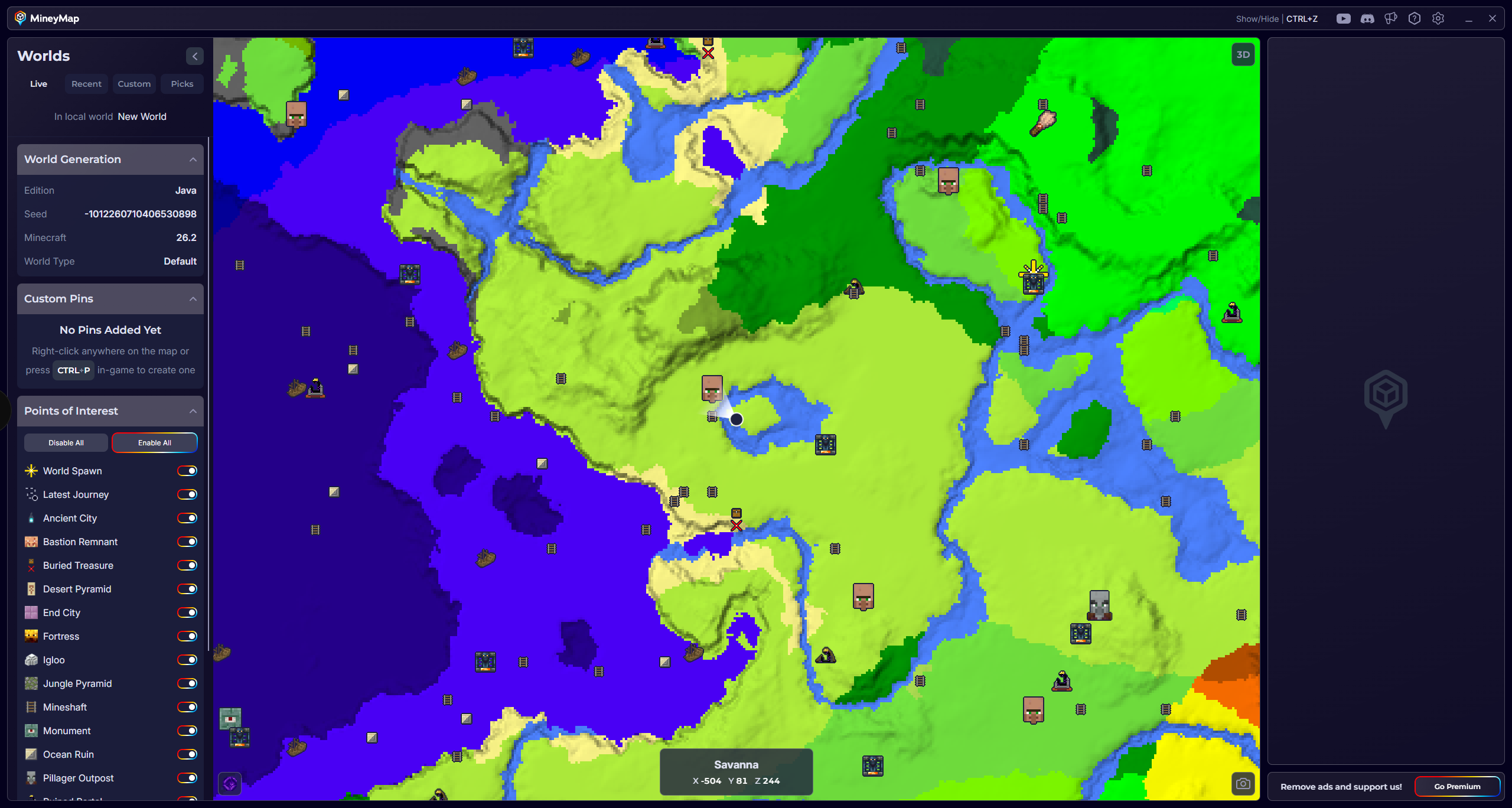
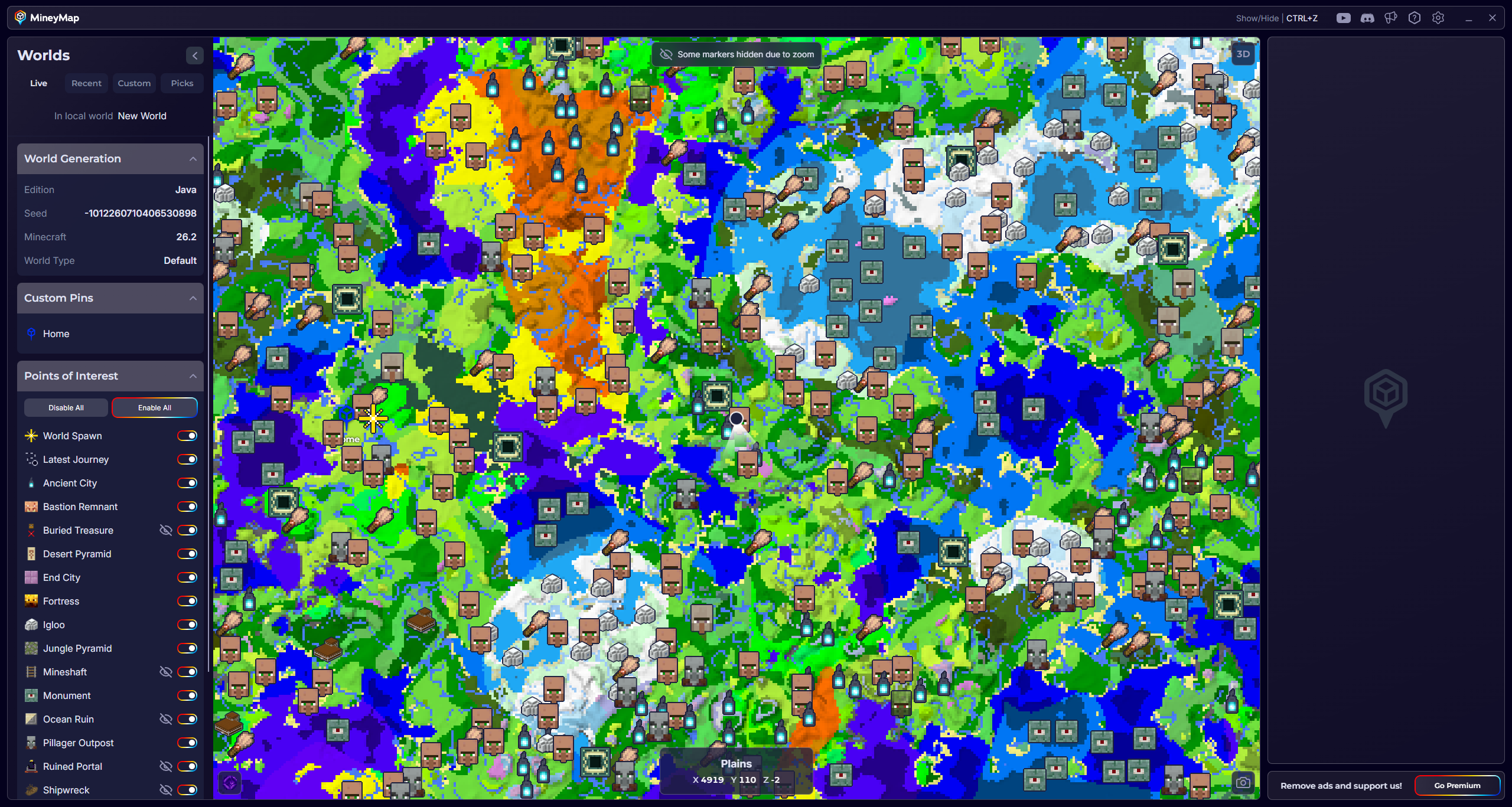
Instead of searching every biome by hand, use MineyMap to see supported structures and points of interest around the world you are playing. Keep the full map on a second screen or open it in game, then follow your live position toward the location you want.
Available Points of Interest
Structures You Can Find with MineyMap
MineyMap supports different structures for Java and Bedrock, with more planned for both editions in the future.
Java Edition
21 locations- Ancient City
- Bastion Remnant
- Buried Treasure
- Desert Pyramid
- End City
- Fortress
- Igloo
- Jungle Pyramid
- Mineshaft
- Monument
- Ocean Ruin
- Pillager Outpost
- Ruined Portal
- Shipwreck
- Stronghold
- Swamp Hut
- Trail Ruins
- Trial Chambers
- Village
- Woodland Mansion
- World Spawn
Bedrock Edition
15 locations- Ancient City
- Buried Treasure
- Desert Pyramid
- Igloo
- Jungle Pyramid
- Monument
- Ocean Ruin
- Pillager Outpost
- Ruined Portal
- Swamp Hut
- Trail Ruins
- Trial Chambers
- Village
- Woodland Mansion
- World Spawn